<?xml version="1.0" encoding="utf-8"?>
<feed xmlns="http://www.w3.org/2005/Atom">
    <title><![CDATA[Bytes in the Margin]]></title>
    <link href="/atom.xml" rel="self"/>
    <link href="/"/>
    <updated>2026-05-26T18:52:43+00:00</updated>
    <id>/</id>
        <generator uri="http://sculpin.io/">Sculpin</generator>
            <entry>
            <title type="html"><![CDATA[Inktober 1. Backpack]]></title>
            <link href="/2024/10/02/inktober-1-backpack"/>
            <updated>2024-10-02T00:00:00+00:00</updated>
            <id>/2024/10/02/inktober-1-backpack</id>
            <content type="html"><![CDATA[<p><img src="/assets/media/wp-content/uploads/2024/10/IMG_0392-600x450.jpeg" alt="Ink drawing of an adventurer looking toward mountains, they are holding a map and wearing a large backpack" /></p>
]]></content>
        </entry>
            <entry>
            <title type="html"><![CDATA[Comparing directories with HTML output]]></title>
            <link href="/2024/09/11/comparing-directories-with-html-output"/>
            <updated>2024-09-11T00:00:00+00:00</updated>
            <id>/2024/09/11/comparing-directories-with-html-output</id>
            <content type="html"><![CDATA[<p>If you have two copies of static sites and want to compare the output of
the two, here are some Linux command line utilities I\'ve used for that
task on a recent project.</p>

<h2 id="html-tidy" class="wp-block-heading">HTML Tidy</h2>

<p>I used HTML tidy to normalize the HTML output of the two directories.
This step formats the HTML files consistently and helped reduce false
positives.</p>

<p>I was happy to see that HTML tidy has been resurrected, on Ubuntu I
installed it with</p>

<pre><code class="wp-block-code">apt-get install tidy
</code></pre>

<p>I ran tidy against all the HTML files in each output directory. I used
the default configuration and it worked fine for me</p>

<pre><code class="wp-block-code">find . -name '*.html' -type f -print -exec tidy --warn-proprietary-attributes false -mq '{}' \;
</code></pre>

<h2 id="diff" class="wp-block-heading">Diff</h2>

<p>You can compare two directories at the command line and pipe the output
to a text file for review. Once you\'re familiar reading diff output,
you can make sense of the lines that are different. I ended up using the
&#45;-exclude and &#45;-ignore-matching-lines flag to get rid of lines which
were different due to cache-busting flags or machine-generated CSS and
JavaScript filenames. Doing so helped focus to find changes that matter.</p>

<pre><code class="wp-block-code">diff -burw html/ html-new-nav/ &gt; html-diff.txt
</code></pre>

<p>This diff output was useful for identifying which files were actually
different. To see the changes in specific pairs of files, I like using a
visual diff utility like <a href="https://winmerge.org/">WinMerge</a>,
<a href="https://meldmerge.org/">Meld</a>, or the diff built-in to PHPStorm.</p>
]]></content>
        </entry>
            <entry>
            <title type="html"><![CDATA[Random Tables for Dokuwiki]]></title>
            <link href="/2022/11/24/random-tables-for-dokuwiki"/>
            <updated>2022-11-24T00:00:00+00:00</updated>
            <id>/2022/11/24/random-tables-for-dokuwiki</id>
            <content type="html"><![CDATA[<p>I\'ve been using dokuwiki to prepare for the D&amp;D game sessions I\'ve
been running since 2020. I know there are newer tools that are quite
popular and used, particularly Notion and Obsidian. I like hosting my
content and have always wanted to do more with Dokuwiki, which is a
long-running PHP project that remains actively developed and has an
active community. I discovered it years ago when looking for a wiki
solution that didn\'t require a database to function. There are plugins
for adding new syntax, controlling page layout, and even for treating
pages as database entries or interfacing with a sqlite database.</p>

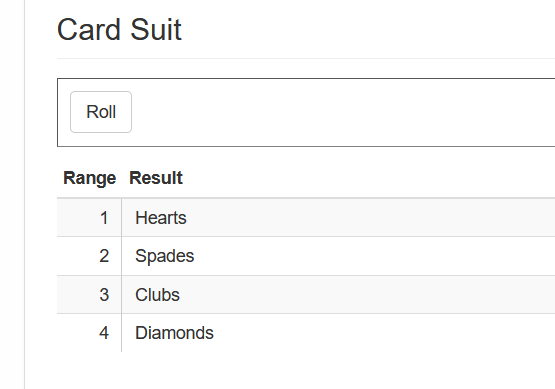
<p>One feature missing, which is quite specific to role playing games (and
maybe some board games) are rolling on random tables. Not being able to
find one that could be hacked to do the job, I\'ve been working on a
custom plugin to do just that. It\'s finally where I feel comfortable
releasing it, in case others might find it useful. You can see how to
install it and use it on <a href="https://www.dokuwiki.org/plugin:randomtables">RandomTables plugin
page</a>.</p>

<p><img src="/assets/media/wp-content/uploads/2022/11/random-table-ex.png" alt="An HTML table of four entries representing the suits in a deck of cards with a &quot;Roll&quot; button above that picks an entry at random." /></p>
]]></content>
        </entry>
            <entry>
            <title type="html"><![CDATA[Gargoyle Pug]]></title>
            <link href="/2022/10/03/gargoyle-pub"/>
            <updated>2022-10-03T00:00:00+00:00</updated>
            <id>/2022/10/03/gargoyle-pub</id>
            <content type="html"><![CDATA[<p><img src="/assets/media/wp-content/uploads/2022/10/untitled_artwork-1-768x1024.jpg" alt="" /></p>
]]></content>
        </entry>
            <entry>
            <title type="html"><![CDATA[Landscape Thumbnails 1]]></title>
            <link href="/2022/02/10/landscape-thumbnails-1"/>
            <updated>2022-02-10T00:00:00+00:00</updated>
            <id>/2022/02/10/landscape-thumbnails-1</id>
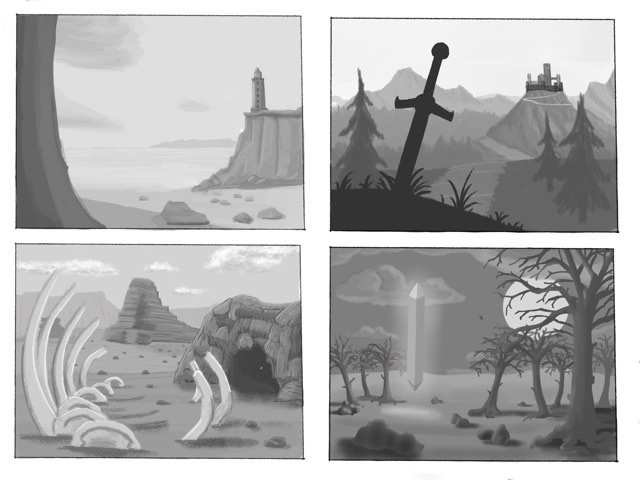
            <content type="html"><![CDATA[<p><img src="/assets/media/wp-content/uploads/2022/02/BD7CD7FF-1C5C-4F91-8BB9-71B17DEFEA34.jpg" alt="Four black and white fantasy landscape scenes" /></p>
]]></content>
        </entry>
            <entry>
            <title type="html"><![CDATA[Female Ranger drawing]]></title>
            <link href="/2021/10/20/female-ranger-drawing"/>
            <updated>2021-10-20T00:00:00+00:00</updated>
            <id>/2021/10/20/female-ranger-drawing</id>
            <content type="html"><![CDATA[<p><img src="/assets/media/wp-content/uploads/2021/10/D12B2245-9790-4974-859F-7D8B1A10F6F0-768x1024.jpeg" alt="" /></p>

<p>Based on a reference image from <a href="https://www.instagram.com/shieldmaiden_larp/">https://www.instagram.com/shieldmaiden_larp/</a></p>
]]></content>
        </entry>
            <entry>
            <title type="html"><![CDATA[Vision Line Art]]></title>
            <link href="/2021/03/17/vision-line-art"/>
            <updated>2021-03-17T00:00:00+00:00</updated>
            <id>/2021/03/17/vision-line-art</id>
            <content type="html"><![CDATA[<p><img src="/assets/media/wp-content/uploads/2021/03/00CB4F42-843B-4952-A56B-FC2832B77CE4-768x1024.jpeg" alt="" /></p>
]]></content>
        </entry>
            <entry>
            <title type="html"><![CDATA[Delg, Dwarven Cleric]]></title>
            <link href="/2021/02/11/delg-dwarven-cleric"/>
            <updated>2021-02-11T00:00:00+00:00</updated>
            <id>/2021/02/11/delg-dwarven-cleric</id>
            <content type="html"><![CDATA[<p><img src="/assets/media/wp-content/uploads/2021/02/F9BAD80E-4476-4785-A7E8-10BEFDEF75DD-768x1024.jpeg" alt="" /></p>

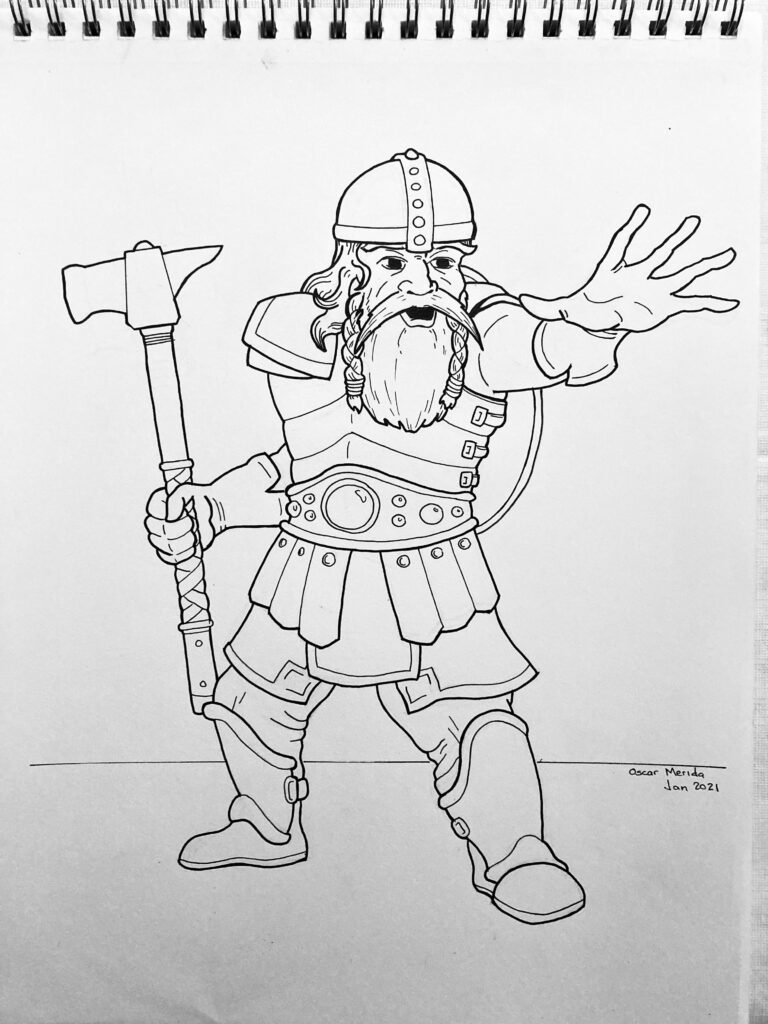
<p>Delg is the Life domain cleric I\'m playing in our Saturday\'s game when
we run through Dungeon of the Mad Mage. He\'s been fun to play, except
the first game Intellect Devourers ate his brain, so he had to be
resurrected. He also picked up a curse sword, but the rest of the party
was kind enough to chop of his hand before resurrecting him, thus ending
the curse.</p>
]]></content>
        </entry>
            <entry>
            <title type="html"><![CDATA[Testing HTTP Redirects in PHP]]></title>
            <link href="/2021/01/22/testing-http-redirects-in-php"/>
            <updated>2021-01-22T00:00:00+00:00</updated>
            <id>/2021/01/22/testing-http-redirects-in-php</id>
            <content type="html"><![CDATA[<p>For a task today, I wanted to verify that redirects on a website were
working as expected after migrating them from one redirect plugin to
another one (yes, this site had 2 enabled). I couldn\'t figure out the
right invocation to test them using cURL in PHP, even though the
documentation seemed straightforward (just set follow redirects to
false&#46;..didn\'t work).</p>

<p>At the end of the day, I initially got it working by using curl from the
command line, then parsing the headers it spits back. The switches are
s, k, and capital i). That makes the initial request and returns the
headers without following any Location headers</p>

<pre><code class="wp-block-preformatted">exec( "curl -skI " . escapeshellarg( $url ), $output );
</code></pre>

<p>But, I really wanted to know it could be done without dropping to the
shell. And of course, there is a way to do it, using stream filters. I
got tripped up in creating the context. At first, I had max_redirect and
follow_location in the ssl block, but they were ignored. I didn\'t
realize you could specify options across \"protocols\" but it is totally
doable&#45;&#45;-all with native PHP functionality:</p>

<pre><code class="wp-block-code">$url = "https://www.oscarm.org";

$opts = [
    'ssl' =&gt; [
        'method' =&gt; 'GET',
        'verify_peer' =&gt; false,
        'allow_self_signed' =&gt; true,
    ],
    'http' =&gt; [
        'max_redirects' =&gt; 1,
        'follow_location' =&gt; 0,
    ],
];

$context = stream_context_create($opts);
$stream = fopen($url, 'r', false, $context);

// header information as well as meta data
// about the stream
$headers = stream_get_meta_data($stream);
var_dump($headers);

</code></pre>
]]></content>
        </entry>
            <entry>
            <title type="html"><![CDATA[Wyvern]]></title>
            <link href="/2020/12/13/wyvern"/>
            <updated>2020-12-13T00:00:00+00:00</updated>
            <id>/2020/12/13/wyvern</id>
            <content type="html"><![CDATA[<p><img src="/assets/media/wp-content/uploads/2020/12/9DD7AA9F-C067-4512-9A1B-96B254962830-768x1024.jpeg" alt="" /></p>
]]></content>
        </entry>
    </feed>